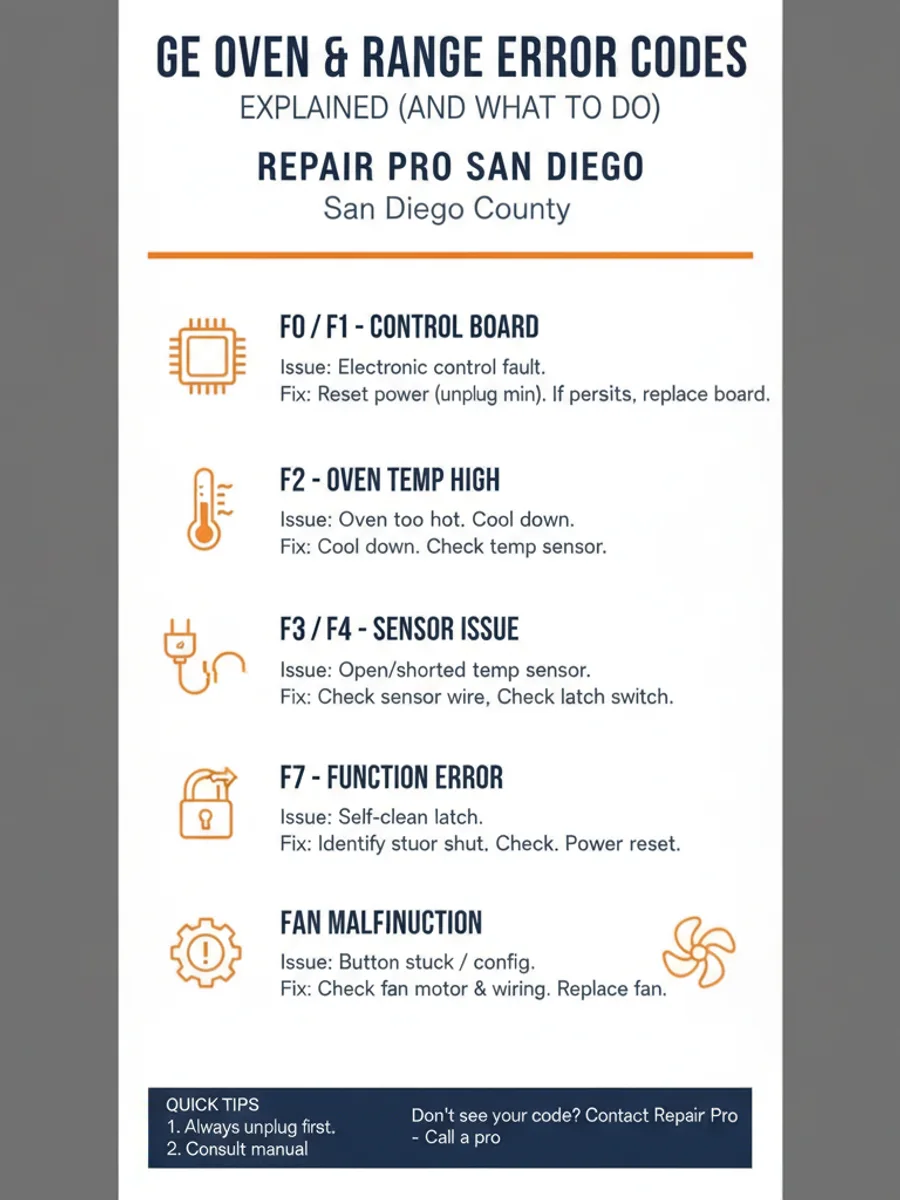
GE oven error codes show up as an “F” number on the electronic range control, and each one points to a specific fault. F0 and F1 are control board or keypad faults, F2 means the oven overheated past its safety limit, F3 and F4 point to the oven temperature sensor, F7 is a stuck touchpad button, and F9 is a door lock fault. Some clear with a breaker reset. Others mean a part has failed and the oven needs a technician.
This guide walks through what the common GE oven and range error codes mean, what causes them, and what to try before calling anyone. It’s written for San Diego homeowners who want a straight answer, not a runaround.
How to read GE oven and range error codes
GE calls the brain behind the control panel the electronic range control, or ERC. When something goes wrong, the ERC shows a fault code, usually an “F” followed by a number, on the same display that normally shows the clock or the set temperature. Some newer GE, GE Profile, and Café range models show a longer code or a two-part code instead of a simple F-number, so don’t assume your model matches an older chart exactly.
The exact code map shifts a little across GE’s model generations, including Hotpoint, which shares GE’s control platform. The fastest way to confirm what your code actually means is the model number sticker. On most GE ranges that’s on the oven door frame, behind the bottom storage or warming drawer, or on the side wall inside an oven cavity. With that number you can pull the exact fault chart for your unit from GE’s support site or the owner’s manual.
Before you troubleshoot anything, reset the appliance at the breaker. GE ovens and ranges run on 240 volts and are usually hardwired or connected to a dedicated circuit, so you don’t unplug them the way you’d unplug a toaster. Find the oven’s breaker in your panel, flip it off for about 60 seconds, then flip it back on. A brief power fluctuation, common during summer grid strain in San Diego, can trigger a code with no real hardware problem behind it. If the same code comes right back, keep reading.
F0 and F1: control board and stuck keys
F0 and F1 both point to the electronic range control itself. Generally, F0 or F1 means the ERC has thrown an internal fault, or a function key on the touch panel is stuck or shorted and sending a signal that never clears. If the code showed up once and cleared with a breaker reset, it was likely a transient glitch in the control board’s memory. If F0 or F1 keeps coming back, the control board or the touchpad underneath it has failed and needs to be tested and replaced.
F2: the oven got too hot
F2 is the single most common GE oven code, and it means the oven ran hotter than its built-in safety limit. The number one real-world trigger is a self-clean cycle overheating, since self-clean runs the cavity far hotter than any bake or broil setting. A failed oven temperature sensor reading the wrong temperature to the control board is the other common cause. If F2 shows up during or right after a self-clean cycle, let the oven fully cool with the door closed, reset the breaker, and hold off on running self-clean again until it’s been diagnosed. If F2 shows up during normal baking, or it keeps returning, the temperature sensor or control board needs testing. Our guide on an oven temperature that isn’t accurate covers the same sensor and calibration checks in more depth.
F3 and F4: the oven temperature sensor
F3 and F4 both point to the oven temperature sensor, sometimes called the RTD sensor, the small probe that hangs down from the back wall of the oven cavity. F3 means the sensor circuit is open, and F4 means it’s shorted. Either one can also trace back to a failed wiring harness running from the sensor to the control board rather than the sensor itself. A temperature sensor fault doesn’t just throw a code. It also shows up as an oven that won’t heat at all, or one that heats to the wrong temperature. It’s a common, relatively inexpensive part to replace. If your oven is acting up without a code showing, our post on an oven that won’t heat walks through the same sensor diagnosis.
F7: a stuck button on the touchpad
F7 means a button on the membrane touchpad, the function-key panel you press to set bake, broil, or the clock, is stuck or shorted. The ribbon connector behind that panel is the usual failure point on GE ranges, and it’s a very common code across GE’s electric range lineup. Sometimes a firm, deliberate press-and-release of every button on the panel frees a key that’s only mechanically stuck, and a breaker reset can clear it if the stuck signal was momentary. If the code keeps returning after that, the touchpad or its ribbon connector has actually failed and needs replacement.
F9: the door lock or self-clean latch
F9 flags a fault in the door lock circuit, usually the self-clean latch mechanism or its small lock motor. This code shows up most often right after a self-clean cycle, when the latch is supposed to release and doesn’t return to the unlocked position. If your oven door won’t unlock after self-clean and the display shows F9, don’t force the door open. The latch assembly or lock motor needs to be checked by someone who knows the mechanism before you try to override it.
Some GE models also show F5, FC, FF, or a two-part code that isn’t in the list above. Don’t guess at what those mean. Confirm the exact fault against your specific model number rather than assuming it matches a code from a different GE generation.
What you can reset yourself
A handful of GE oven codes clear with something you can do in a few minutes, no tools required.
Reset at the breaker first for any code you see. Flip the oven’s dedicated breaker off for about 60 seconds, then back on, and let the control board fully restart. This clears a real number of transient codes without any parts involved.
If F2 showed up during or after a self-clean cycle, let the oven cool completely with the door shut before you do anything else. Running self-clean again while it’s still hot, or right after a code, can make the fault repeat.
For F7, press and release every button on the touchpad firmly, one at a time. A button that’s only mechanically stuck sometimes frees up on its own.
Check that the oven door is closing fully and isn’t obstructed by a bent hinge, a dropped rack, or anything caught in the seal. A door that isn’t sensed as fully closed can throw a lock-related code on some models.
Codes that mean a part has failed
When a code returns after you’ve reset the breaker and tried the basics above, a component inside the oven has failed and it needs hands-on diagnosis.
An F0 or F1 that keeps coming back means the control board or the touchpad has failed. An F2 that shows up outside of self-clean, or keeps returning after the oven has fully cooled, points to a bad temperature sensor or a control board issue. F3 and F4 that persist mean the oven temperature sensor or its wiring harness needs to be tested and likely replaced. An F7 that survives a firm press of every button means the touchpad or its ribbon connector has failed. And an F9 that won’t clear means the door lock motor or latch assembly needs to be checked and possibly replaced.
Any of these part failures call for professional oven and range repair, since they involve testing electrical components and sourcing the correct GE part for your model.
San Diego GE oven repair, same day
The technicians in the Repair Pro San Diego network work on GE ovens and ranges across San Diego County, and same-day service is available for most areas. The techs carry common GE parts, including oven temperature sensors, electronic range control boards, and door lock assemblies, so a lot of these repairs get finished on the first visit with up-front pricing and no trip fee.
Coverage includes Chula Vista, Carlsbad, El Cajon, Escondido, Oceanside, and dozens of other cities throughout San Diego County. For more on GE appliance work generally, see our overview of GE appliance repair in San Diego.
Frequently asked questions
What does F2 mean on a GE oven?
F2 means the oven got hotter than its built-in safety limit. The most common trigger is a self-clean cycle overheating, and a failed oven temperature sensor reading the wrong number to the control board is the other frequent cause. Let the oven cool fully, reset the breaker, and avoid self-clean until the fault is diagnosed if it keeps returning.
How do I reset a GE oven error code?
Find the oven’s dedicated breaker in your electrical panel, flip it off for about 60 seconds, then flip it back on. GE ovens run on 240 volts and are usually hardwired, so you reset at the breaker instead of unplugging the unit. A breaker reset clears many transient codes caused by a brief power fluctuation, but if the same code comes right back, a part has likely failed.
What is the F3 code on a GE oven?
F3 means the oven temperature sensor circuit is open. The sensor, sometimes called the RTD sensor, is the small probe hanging from the back wall of the oven cavity, and it can fail on its own or because of a damaged wiring harness. A failed sensor also shows up as an oven that won’t heat or heats to the wrong temperature, and it’s a common, replaceable part.
Why does my GE oven show an error code after self-clean?
Self-clean runs the oven cavity far hotter than any normal cooking cycle, and that’s exactly why F2 and F9 show up most often right after it. F2 means the oven overheated past its safety limit during the cycle. F9 means the self-clean door latch didn’t return to the unlocked position when the cycle finished. Both call for letting the oven cool fully before you try anything else.
When to call us
When a GE oven error code won’t clear after a breaker reset, or when the code points to a failed part like a temperature sensor, control board, touchpad, or door lock motor, it’s time to bring in a tech. Call us at (858) 988-7787 for a same-day estimate.